check the picture
color bars, grayscale, a center circle, and motion patterns for checking your video path.

a reference pattern generator for live production. check your video path, identify your outputs, and put a reference tone where you need it.
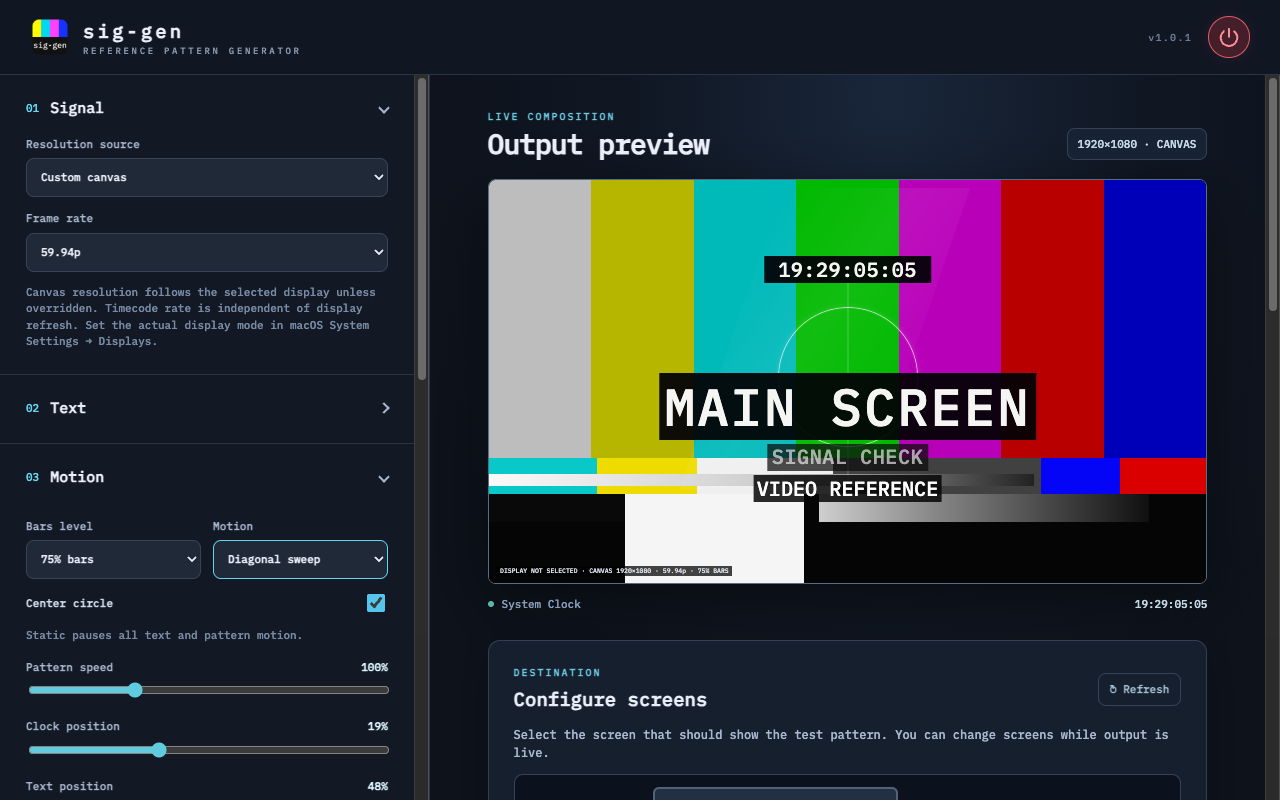
color bars, grayscale, a center circle, and motion patterns for checking your video path.
custom text, subtitles, a clock, and a footer help identify the output in front of you.
reference tones and audio output selection for checking sound alongside the picture.
drag the divider to explore the real app workspace and a close-up of its output preview. two views of the same capture.
drag to explore / use arrow keys when the slider is focused
match the canvas to a connected display, or choose your own resolution. select the timecode rate and inspect the picture before the show.
customize the main text, subtitle, footer, date, and clock. keep the reference useful to the people looking at it.
select a connected display for the reference pattern and choose an audio output for your reference tone.
the standalone mac app is v1.0.1. windows and resolume downloads remain separate v1.0.0 test releases. google drive may ask you to confirm these large downloads.
sig-gen 1.0.1 for apple silicon macs, with the NDI sender and runtime included. no separate NDI installation is needed on the sending mac.
open the downloaded .dmg, then open Install sig-gen.pkg. follow macOS Installer and authorize installation in the main Applications folder. open Applications → bashore → sig-gen after installation.
download mac ↓v1.0.1 · build 20 · 124.7 MB .dmgunsigned installer; app is ad-hoc signed, not developer id signed or notarized. macOS may require app-specific first-launch approval.
the portable x64 app. extract the full zip to a folder and open sig-gen.exe from that folder.
download windows ↓windows x64 · 151.2 mb zip · unsigneduse sig-gen as a source inside resolume, with a separate configure window. includes the apple silicon helper.
download resolume mac ↓apple silicon helper · 114.1 mb zipthe windows x64 source and configuration helper for bringing the pattern into your resolume workflow.
download resolume windows ↓windows x64 · 151.7 mb zipsave your work and quit sig-gen before updating. the mac installer creates or reuses /Applications/bashore/ and installs sig-gen.app there. it does not launch the app automatically.
updates are manual; review the included README before installing. mac builds are not developer id signed or notarized, and windows builds are unsigned.
quit resolume before installation. extract the zip and use the included installer, then add the extra effects folder in resolume’s video plugin preferences and restart. audio goes directly to the selected device, outside resolume’s mixer; keep configure open while using audio.